December 30, 2025
Dental Patient Education Materials: Visual Resources for Modern Practices

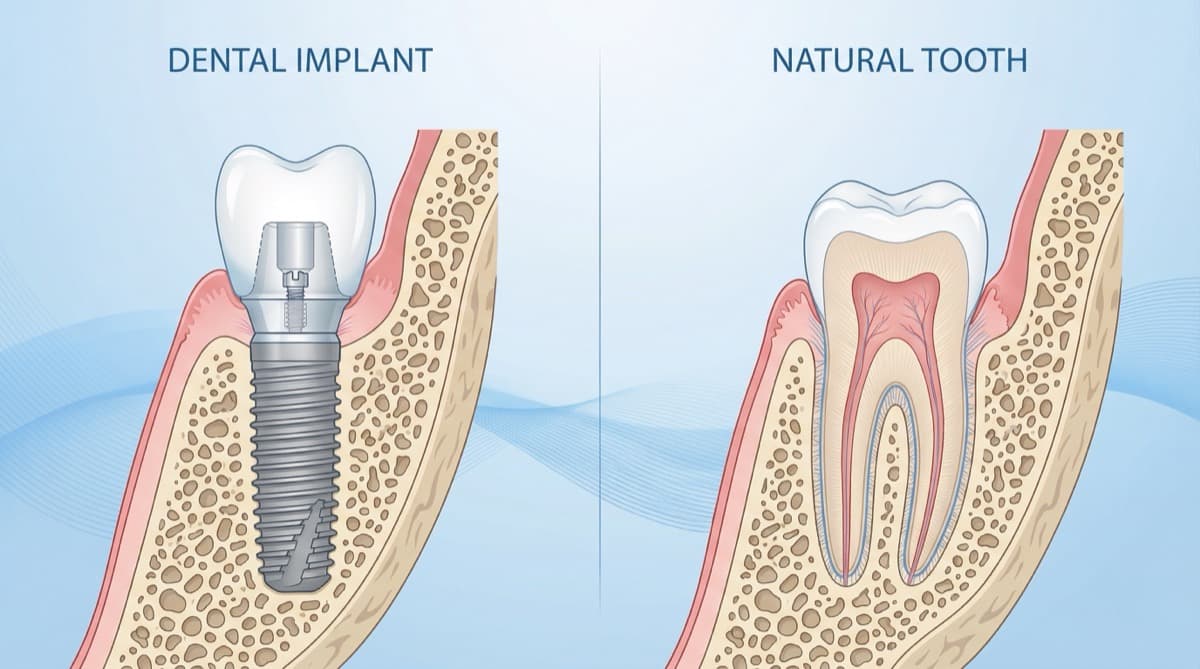
Last month a patient asked me to explain a sinus lift. I spoke for five minutes, drew a few lines on paper, and got the polite nod that says, "I trust you, but I'm lost." Then I showed one diagram. Ten seconds later she said, "Oh, so you're lifting the floor to make space." That moment is why dental patient education materials matter. You've seen that nod too, right? I'm not kidding.
This guide focuses on dental patient education materials that work for chairside use, lectures, and case documentation. You will find practical examples, visual categories, and a simple workflow for building professional resources with PerioSpot Studio. The goal is to save time while raising clarity and credibility. Now you know. Let's keep going.
"If the patient cannot explain it back in their own words, the education did not happen."
Try the demo
Create your own dental diagram in seconds
Generate an AI illustration like the one in this article. No account required.
Why Visual Patient Education Matters
Patients often struggle to understand treatment steps from words alone. Visuals reduce cognitive load, improve recall, and create a shared reference point during consultations. As Houts et al. (2006) reported, pictures can improve comprehension and memory in health communication, and Kessels (2003) showed how quickly verbal details evaporate when the cognitive load is high. That is not a character flaw in your patient, it is how brains work.
High-quality visuals also build trust. When your diagrams look professional and anatomically accurate, patients associate that clarity with clinical confidence. This is especially important for complex procedures like implants, GBR, or sinus augmentation.
If you want to explore the evidence base around visual communication, start with Houts et al., 2006 and Kessels, 2003.
Types of Dental Patient Education Materials
The best dental education materials fall into a few clear categories. Each type serves a different purpose in the consult.
1. Procedure diagrams
- Step-by-step visuals of surgical or restorative workflows.
- Ideal for implant placement, sinus lift, or soft tissue grafting. For clinical protocols on sinus augmentation, see Vertical and Horizontal Bone Augmentation. For soft tissue procedures, see Root Coverage Procedures: 8 Golden Rules.
- I use these when I need the patient to see the order, not just the outcome.
2. Anatomy illustrations
- Cross-sectional views of bone, gingiva, and implant components.
- Useful for showing what changes during treatment.
- These are my "pause and breathe" slides when a case gets complex.
3. Before and after visuals
- Demonstrate outcomes and set realistic expectations.
- Often used for peri-implantitis or recession cases. Learn more about managing implant complications in Complications in Dental Implant Dentistry: Buccal Soft Tissue Dehiscences.
- They are honest. Patients see the journey, not just the finish line.
4. Animated sequences
- Short clips that show time-based changes or surgical sequences.
- Great for patient education kiosks or pre-visit emails.
- This is where the "Ohhh, now I get it" moment lives.
AI Tools for Creating Patient Education Content
The phrase AI patient education dental tools is gaining traction because clinicians want speed without sacrificing accuracy. AI-based tools can generate consistent visual sets in minutes, especially when combined with professional templates and clinical guardrails.
PerioSpot Studio is designed for dental professionals who need lecture-ready and patient-ready visuals. It standardizes line weight, color palette, and anatomy so your materials look cohesive across slides and handouts. You can generate static diagrams, transparent PNGs, and animations without outsourcing or spending hours in manual illustration software. The bigger trend is real: AI can amplify communication when it is guided by clinical intent (Topol 2019). The difference is not the algorithm, it is the clinical guardrails.
"AI does not replace the clinician. It removes the friction between your explanation and the patient's understanding."
If you want to compare workflows, see The Art of Dental Illustration for the core process and AI Dental Illustrations for Research for a research-focused example.
Free Dental Patient Education Resources
Start by offering a small set of free, watermarked diagrams that you can use in chairside consultations or patient handouts. These samples also help you test which visuals resonate most before investing in a full library.
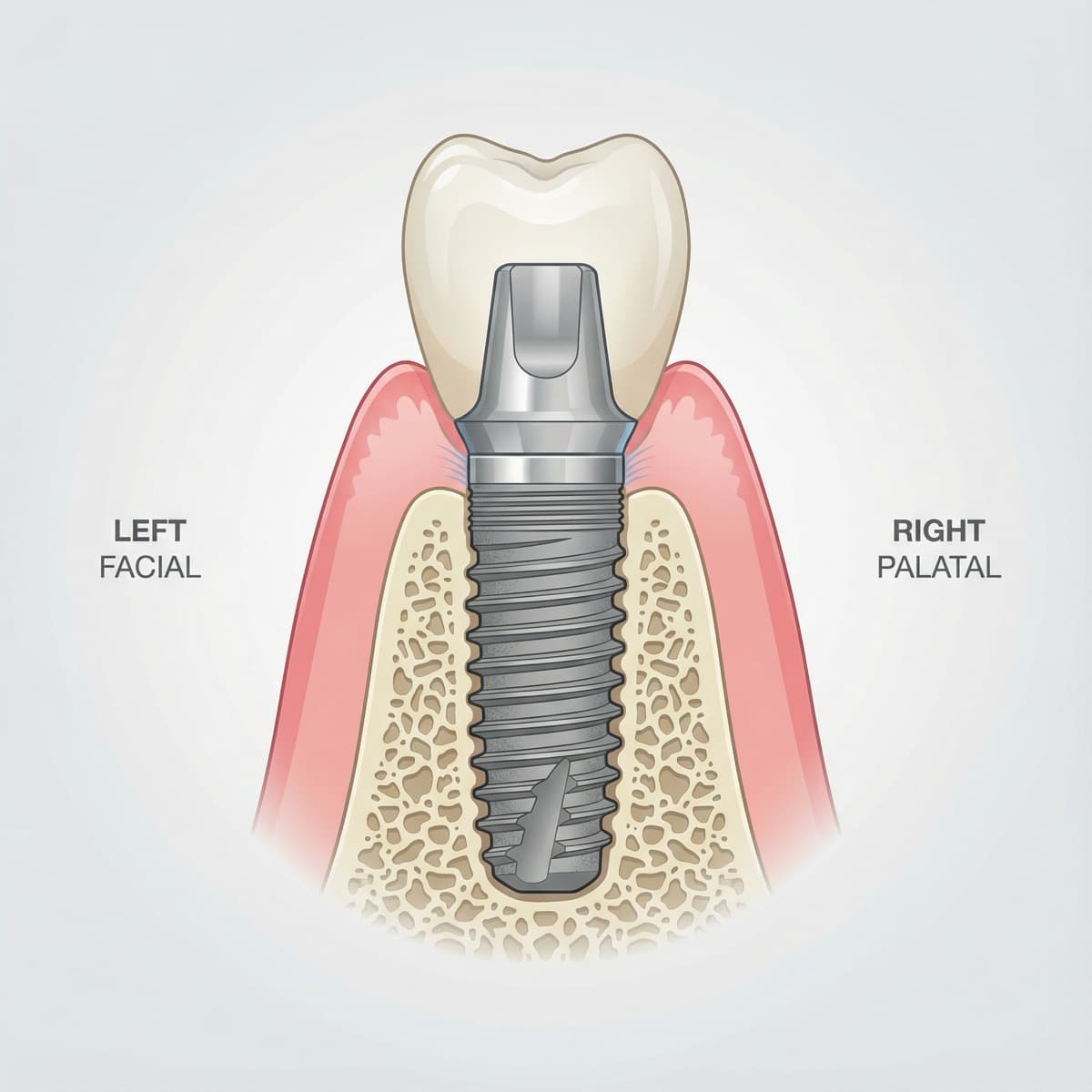
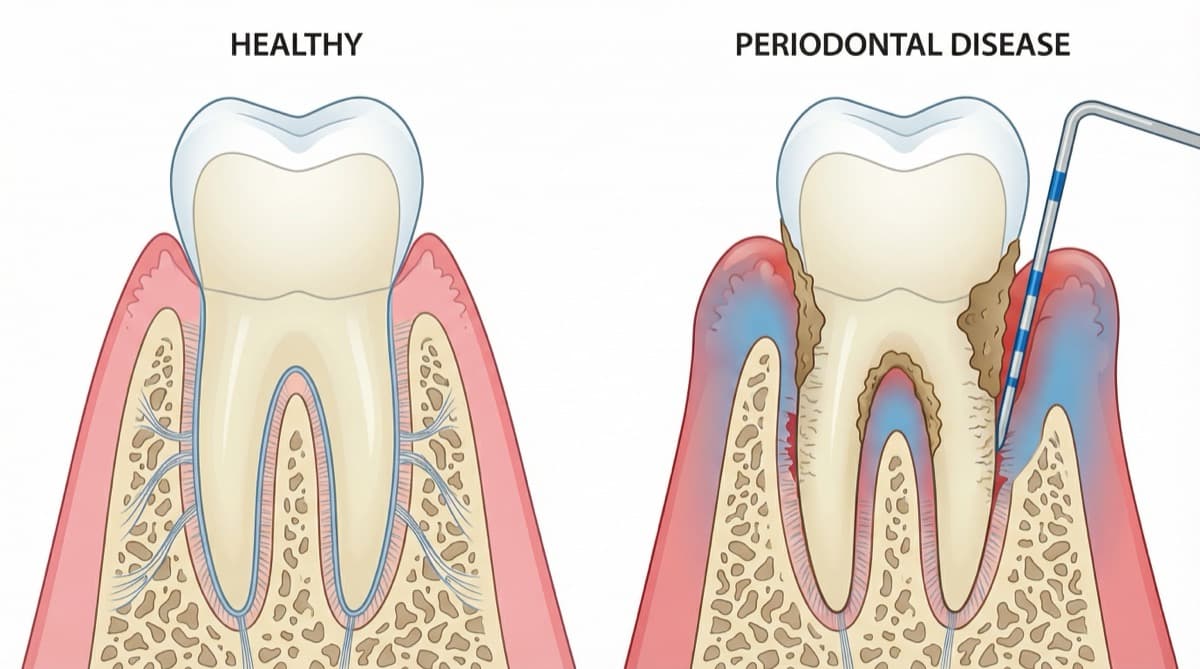
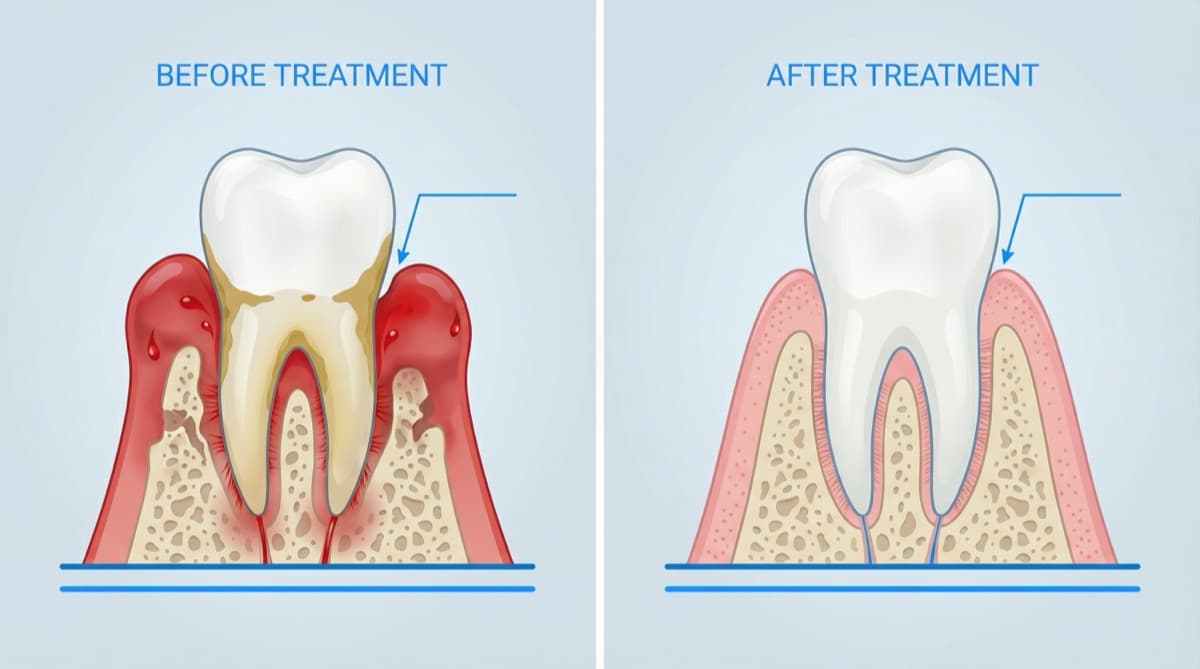
CTA: Get the free sample pack and create your own set in PerioSpot Studio.
Creating Custom Patient Education Materials
Custom visuals work best when they match your own case details and treatment philosophy. With PerioSpot Studio, you can generate visuals that align with your preferred implant system, surgical sequence, and tissue profile.
A simple workflow
- Describe the clinical scenario in your own words.
- Choose a template or format (cross-section, before and after, step sequence).
- Generate the diagram and export a transparent PNG for slides or handouts.
- Iterate using the built-in feedback tools until the anatomy is correct.
Clinical accuracy notes
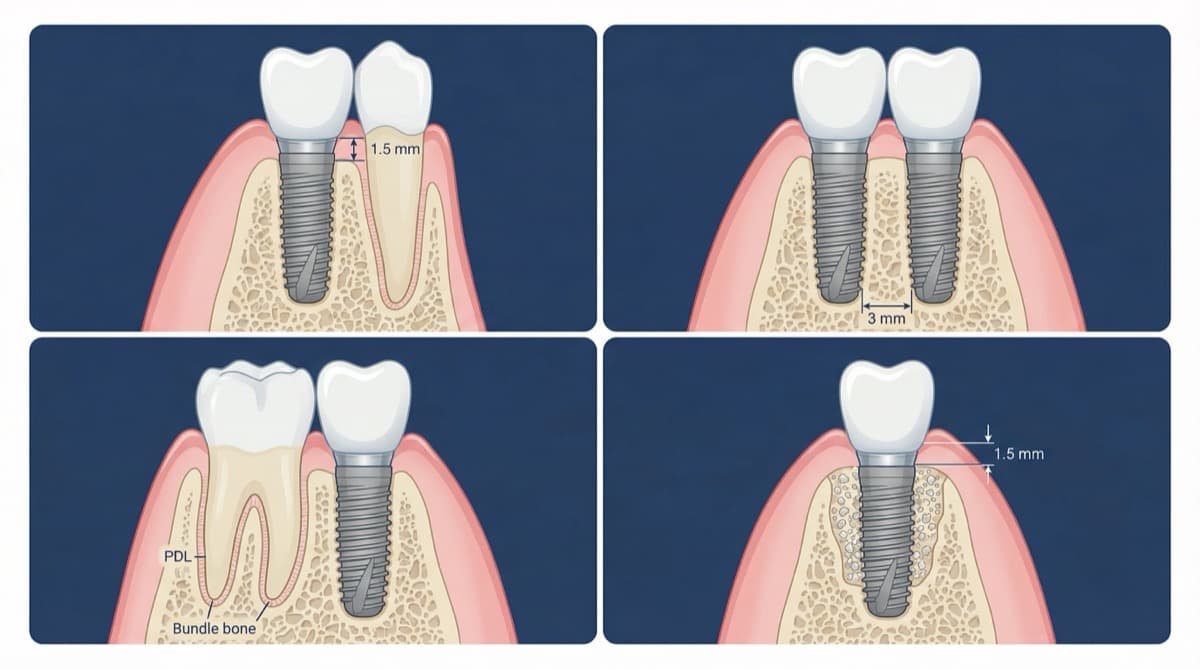
- Figure 2 simplifies implant soft-tissue fiber orientation and bone plate thickness for patient clarity.
- Figure 3 stylizes the periodontal ligament and gingival inflammation to keep the comparison readable.
- Figure 4 shows an idealized papilla fill; real outcomes can leave black triangles when bone loss is advanced.
- Figure 5 shows spacing principles schematically; vertical soft tissue thickness is typically closer to ~3 mm and varies by biotype.
For pricing and export formats, see pricing.
Best Practices for Patient Education Visuals
Clinical visuals should be simple without being simplistic. These guidelines help you keep visuals credible and easy to understand.
Best practices
- Keep labels minimal and use clear callouts only when necessary.
- Maintain consistent colors across all figures in a consultation.
- Avoid overly dense diagrams that distract from the main message.
- Use neutral, patient-friendly language in captions and legends.
- Always verify anatomical correctness before sharing externally. For detailed anatomical context when educating patients about ridge preservation, see Alveolar Ridge Preservation: How to Perform Socket Preservation Techniques.
When you standardize style and anatomy, patients focus on the procedure instead of deciphering the image. That clarity improves patient confidence and supports informed consent. You can feel the difference in the room when they actually understand the plan.
Try the demo
Create your own dental diagram in seconds
Generate an AI illustration like the one in this article. No account required.
Conclusion
Dental patient education materials are no longer optional. They are a key part of modern, patient-centered care and professional communication. For tips on improving your dental presentations overall, check out How to Create Animations and Illustrations to Improve Your Presentations. With the right visual library, you can explain procedures faster, reduce confusion, and build trust.
I built PerioSpot Studio because I got tired of watching good clinicians struggle to explain great treatment plans. If you want a streamlined way to create consistent, clinically accurate visuals, start with PerioSpot Studio and begin with a free workflow at sign in.
Explaining a procedure without visuals is like giving directions without a map: the words are there, but nobody arrives.
Related Articles
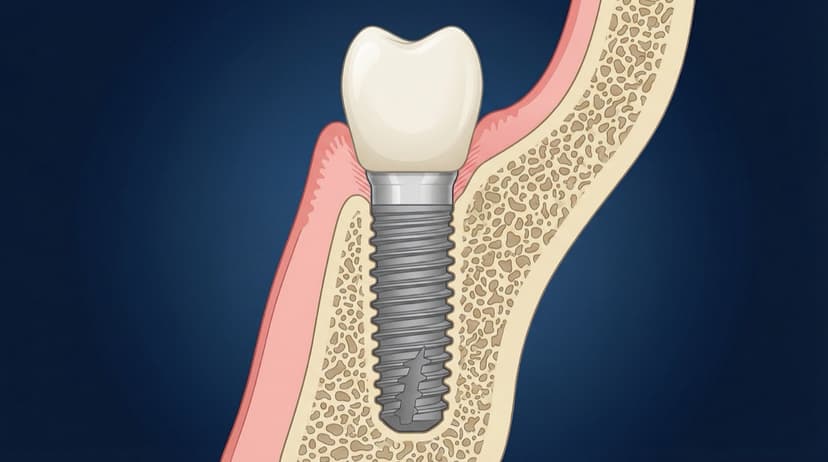
Dental Implant Diagram: Anatomy, Parts, and Procedure Visuals
Free dental implant diagrams for lectures and patient education. Download transparent PNGs showing implant parts, placement procedure, and component anatomy.
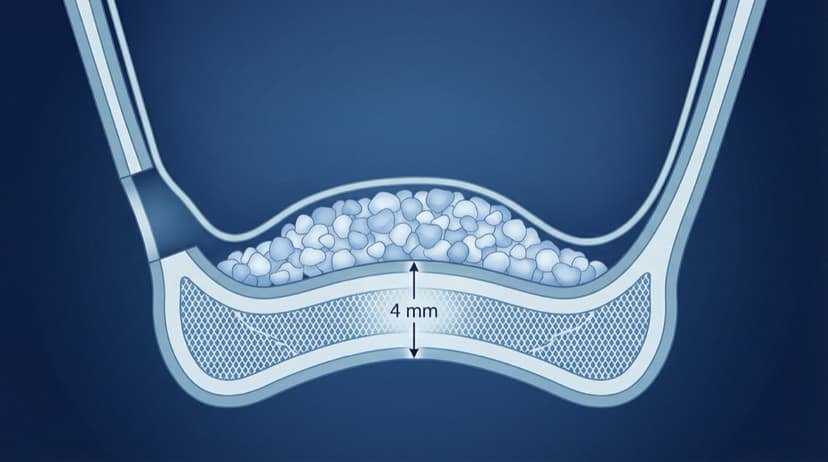
Sinus Lift Diagram: Visual Guide to Procedure Steps and Anatomy
Professional sinus lift diagrams for dental lectures. Visual guide to lateral window approach, membrane elevation, and graft placement with free downloads.

AI Dental Illustrations for Research: From Sketch to Publication
Create publication-ready dental research figures with AI. Learn how to turn rough sketches into journal-quality illustrations in minutes, not weeks.
Try the demo
Create your own dental diagram in seconds
Generate an AI illustration like the one in this article. No account required.